Skip to content


When it comes to notebooks, everyone thinks of the hard drive. With the printer in the hallway, hardly anyone does. Yet many multifunction devices, copiers and network printers store scans, copies, faxes, address books and credentials – often for years. Anyone who wants to dispose of printers in a company therefore needs more than an appointment at the recycling center. This article shows where the data sits, what the German Electrical and Electronic Equipment Act requires and how old devices become a properly documented process.
The most important in a nutshell
- Many multifunction devices and copiers have a built-in hard drive, SSD or flash memory. Scanned documents, print jobs and address books can be stored there.
- A factory reset does not always erase this storage completely. Only a verified erasure with documentation or physical destruction of the storage is safe.
- Printers are electrical devices. Under the ElektroG they do not belong in residual waste but in proper collection and recycling.
- The owner of the old device is responsible for erasing the data – not the disposal company and not the lessor.
Why printers are a data protection issue
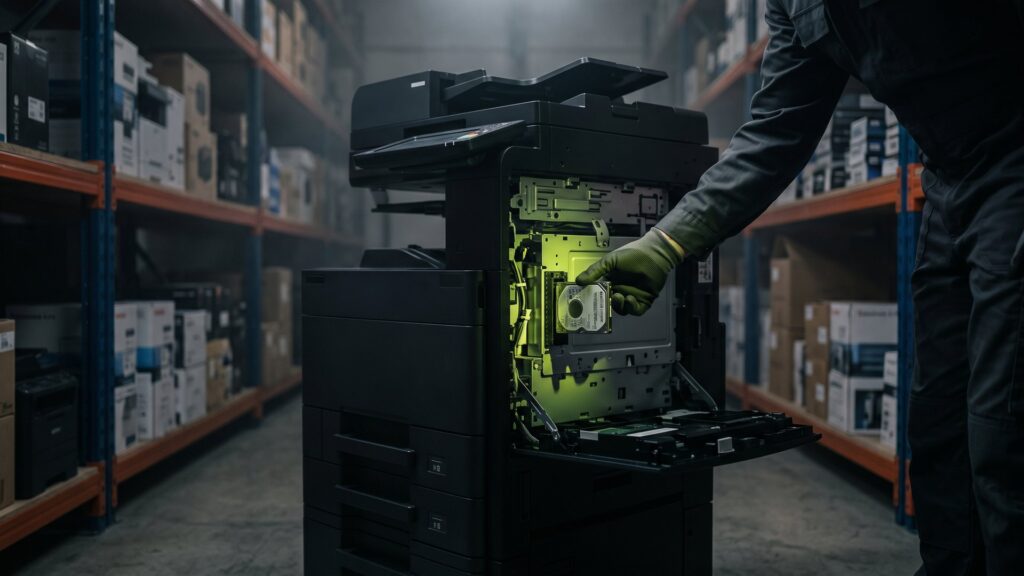
A modern multifunction device is at its core a small computer with a network connection. It receives documents, caches them, processes them and outputs them. To make this fast, many devices use an internal data carrier. Depending on the model, this is a classic hard drive, an SSD or a permanently soldered flash memory.
The German Federal Office for Information Security (BSI) therefore treats printers, copiers and multifunction devices as a separate module in IT-Grundschutz (SYS.4.1). The reason: exactly the documents that are particularly confidential end up on these devices – contracts, personnel files, invoices, copies of ID documents.
What can be stored on a multifunction device
| Data type | Example | Risk when passed on |
|---|---|---|
| Cached jobs | Print, copy and scan jobs | Confidential documents can be recovered |
| Document storage ("box") | Stored scans for later printing | Entire documents remain permanently on the device |
| Address books | Email addresses, fax numbers, scan destinations | Contact details of customers and employees |
| Credentials | Mail server, network folders, user PINs | Entry point into your company network |
| Network configuration | IP addresses, Wi-Fi keys, certificates | Clues about the structure of your network |
| Logs | Who printed or scanned what and when? | Personal usage data |
Small inkjet or label printers usually have no large storage. But even they are rarely entirely free of data: Wi-Fi credentials and network settings are almost always stored.
Rule of thumb: a multifunction device is a computer that happens to print as well. Treat it the same way when retiring it.
Is a factory reset enough?
Many manufacturers offer a function in the menu to reset or to "overwrite all data". That is a sensible first step. But for a reliable proof it is often not enough, for three reasons:
- Unclear scope: A reset often only restores the settings. Whether the document storage and the cache are also overwritten depends on the model and the firmware.
- No record: Most devices do not produce proof with serial number, method and result. In an audit you are then left empty-handed.
- Flash memory: With SSDs and flash memory, the controller distributes the data itself. Simple overwriting does not necessarily reach every memory area.
The safer route is the one you also take with notebooks: identify the data carriers, erase them with certified software or destroy them physically, and document the result per serial number. At Second IT, all delivered devices are specifically checked for storage media. Removable drives can be cleaned with a certified data erasure with Blancco . Anything that cannot be erased, such as a defective drive, is destroyed.
What the ElektroG requires of companies
Printers, copiers and scanners are electrical and electronic equipment. In Germany, their disposal is governed by the Electrical and Electronic Equipment Act (ElektroG), which implements the European WEEE Directive 2012/19/EU. For companies as owners of old devices, these points are particularly important:
- Separate collection: Old devices must not go into residual waste. The crossed-out wheelie bin symbol on the device is a reminder.
- Batteries and rechargeable batteries: They must be removed before handing in the device, unless they are enclosed by the device and cannot be removed without destroying it.
- Erasing data: Under § 10 ElektroG, end users are themselves responsible for erasing personal data on old devices before disposal.
- Take-back of commercial devices: For devices that do not come from private households, § 19 ElektroG provides for an obligation of manufacturers to take them back. How this take-back works differs from manufacturer to manufacturer.
In addition, the General Data Protection Regulation applies. Article 32 GDPR requires appropriate technical and organizational measures to protect personal data – even when a device leaves the premises. What this looks like in an audit is described in our article on the GDPR obligations when disposing of data carriers. This article does not replace legal advice.
What obligations the ElektroG imposes on companies and how to recognize a certified company can be found in the article Certified waste management company and ElektroG obligations.
Special case: leasing and rented devices
Many copiers in the office are not purchased but leased or rented. At the end of the contract, the provider collects the device. However, the data on the internal storage remains your responsibility. Therefore clarify before returning it:
- Does the contract allow the data carrier to be removed or replaced beforehand?
- Does the lessor offer erasure with a record per serial number?
- Who is liable if data is still found on the returned device?
If your contract does not give a clear answer, a written erasure report before return is the safest solution. How important this can be is shown in our article on the data protection risk of old hard drives.
Sell, remarket or dispose of?
Not every retired printer is scrap. Newer office devices and network printers with a low page count can still have a market value. Older devices at least yield raw materials and spare parts.
| Condition | Sensible route | What to clarify beforehand |
|---|---|---|
| Functional, current model | Resale after data erasure | Page count, accessories, consumables, licenses |
| Functional, older model | Spare parts recovery or recycling | Erase or destroy storage |
| Defective | Proper recycling | Remove and destroy storage |
| Leased or rented | Return to the provider | Erasure proof before pickup |
In addition to notebooks, PCs, monitors and servers, Second IT also accepts printers. Whether a device is sold, refurbished or recycled is decided by the inspection at goods receipt. In every case: first the data is removed, then the device is remarketed. Devices without market value go to proper IT disposal under the German Circular Economy Act (KrWG) – with documentation for your records.
Toner, ink and consumables
Empty toner cartridges and ink cartridges do not belong in the same container as the device. Many manufacturers and retailers operate their own take-back systems for them. Full, originally packaged cartridges, on the other hand, are not waste: they can often be reused or offered together with the device. You should collect residual toner containers sealed and separately so that no dust escapes.
Step by step: disposing of printers in a company securely
- Record contents: Note the manufacturer, model, serial number, location and ownership status (purchase, leasing, rental) of each device.
- Identify storage: Check whether the model has a hard drive, SSD or flash memory. The technical data sheets usually provide this information.
- Remove accounts and shares: Delete scan destinations, mail accounts and user PINs in the management system and take the device off the network.
- Commission erasure or destruction: With proof per serial number. For very sensitive data, you can also prescribe destruction.
- Secure transport: Hand over devices sealed and documented; do not collect them openly in a pickup corner.
- Recycling: Sale, spare parts recovery or recycling in accordance with the ElektroG.
- File the records: File the erasure or destruction certificate and the disposal record with the inventory list.
When destruction is the better choice
If a device has processed documents from HR, the legal department or research, some internal policies require physical destruction of the storage. This also applies if a drive is defective or cannot be read out completely. At Second IT, such media are shredded in-house in accordance with DIN 66399 – certified for security level H-5, with serial number tracking and certificate of destruction. More on how you can have data carriers destroyed in accordance with DIN 66399 .
With permanently soldered flash memory, the data carrier cannot simply be removed. Here it is important that your service provider names and documents the procedure beforehand: erasure via the device interface or destruction of the circuit board concerned.
The most common mistakes
- Printers are disposed of together with furniture or construction waste without anyone thinking about the storage.
- Leased devices go back to the provider without erasure proof.
- Scan destinations and mail accounts stay active in the system even though the device is long gone.
- There is no list of which devices were handed over to whom and when.
- Small workplace printers from home offices are forgotten. How to get these devices back as well can be read in our guide on how to hand in old company laptops – the procedure is very similar for printers.
More on the topic: DIN 66399: Which safety level your hard drives need and Notebooks purchase & monitor sale - Professional IT buyback with security.
Frequently asked questions about disposing of printers
Do all printers have a hard drive?
No. Mainly multifunction devices, copiers and larger network printers have internal storage, such as a hard drive, an SSD or flash memory. Small workplace printers usually store only settings such as Wi-Fi credentials. Which storage is installed is stated in the model's technical data sheet.
May I take a company printer to the recycling center?
Recycling centers are mainly intended for devices from private households. Whether and in what quantity they accept commercial devices is regulated by each municipality itself. For companies, take-back by the manufacturer or a certified waste management company is the usual route. The data must be erased before handing the device in.
Is it enough to reset the printer to factory settings?
As a first step this makes sense, as proof usually not. A reset often only restores settings and does not generate a record with a serial number. A certified erasure or destruction of the storage with documentation is safer. This way you can demonstrate in an audit what happened to the data.
Who is responsible for the data with leased copiers?
For personal data, your company remains responsible as the controller, even if the device belongs to the lessor. Check in the contract whether erasure with a record is provided for. If it is missing, you should arrange and document the erasure yourself before returning the device.
Retiring printers, copiers and multifunction devices? We take care of data, remarketing and documentation.
Send us your device list. You will receive your offer in 48 hours on average.