Skip to content


"What does it cost to have our old hard drives destroyed?" Purchasing and IT management often ask this first. The honest answer: it depends – on quantity, data carrier type, security level, logistics and documentation. And sometimes the best answer to the cost question is not destruction at all, but a certified erasure that preserves the value of the hardware. This article explains what the cost of hard drive destruction depends on, how to compare quotes and when erasure is the better economic choice.
The most important in a nutshell
- The cost of hard drive destruction depends mainly on quantity, security level, place of destruction, transport and scope of documentation.
- Do not compare quotes only by the price per hard drive, but by the service: serial number recording, certificate, transport security.
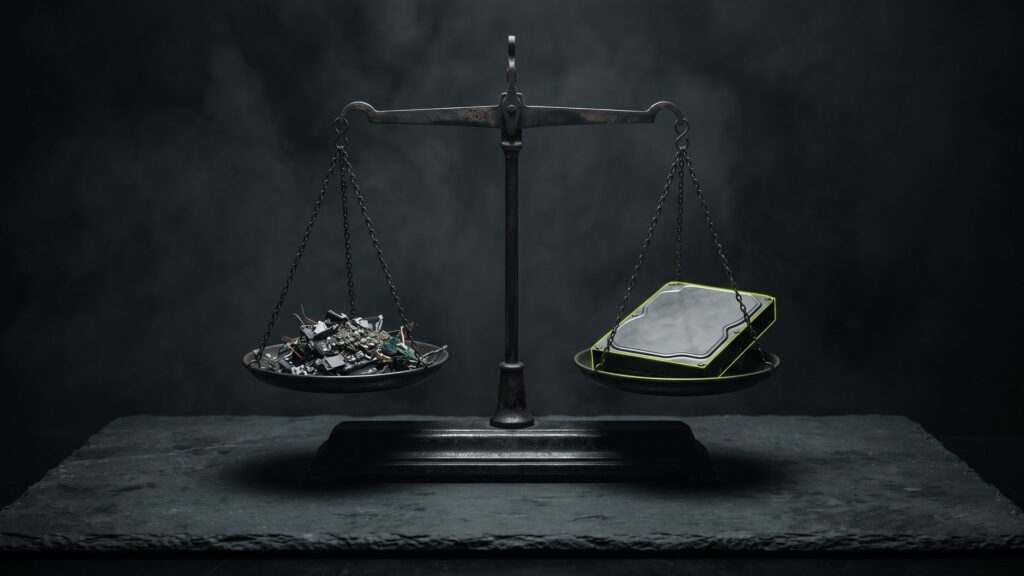
- Destruction destroys the value of a data carrier. Certified erasure preserves it – the proceeds from the sale can offset the costs.
- Defective or non-erasable data carriers must still be destroyed. The right mix saves the most.
What hard drive destruction actually involves
Hard drive destruction means the physical destruction of a data carrier so that the data can no longer be reconstructed. The benchmark in Germany is the DIN 66399 standard. It specifies how small the particles must be after shredding. For hard drives containing personal data, security level H-5 is often chosen. With it, the particles may be at most 320 mm² in size. Which level suits which data is explained in our article on the security levels of DIN 66399.
But the price for destruction does not only pay for the shredder. A complete order consists of several steps, and each of them takes time:
- removing data carriers, if they are still installed in devices,
- packing and transporting them securely,
- storing them securely until destruction,
- recording serial numbers,
- destroying them,
- documenting and issuing a certificate,
- recovering the residues as raw material.
The most important cost factors
| Factor | Why it affects the costs |
|---|---|
| Quantity | Large quantities spread setup, transport and administration costs across more data carriers. |
| Data carrier type | Hard drives, SSDs, tapes, USB sticks and smartphones are processed differently. |
| Security level | The smaller the prescribed particle size, the more complex the shredding. |
| Removal | Loose drives are processed faster than drives that first have to be removed from servers or notebooks. |
| Recording per serial number | A list with every serial number is more work than a quantity statement – but much more valuable in an audit. |
| Place of destruction | Destruction at the service provider or with a vehicle at your site has different costs. |
| Transport | Sealed, monitored direct trips are more secure than mixed collection tours. |
| Appointment and urgency | Short-notice individual appointments are more expensive than plannable pickups. |
Common pricing models
Three billing methods are found on the market above all: a price per data carrier, a price by weight or a price per security container. In addition, there are often flat fees for travel, on-site deployment or documentation. A quote that looks cheap per unit can end up more expensive if transport, serial number list and certificate cost extra. Always ask for the total price for your specific inventory.
Rule of thumb: do not compare quotes by the price per hard drive, but by the price per verifiably destroyed hard drive.
On site or at the service provider?
Some companies insist that the data carriers do not leave their premises. In that case a vehicle with a shredder comes into the yard. This creates visibility, but involves travel and deployment time and is more worthwhile for large quantities or very strict requirements.
The alternative is destruction at the service provider. What matters then is how secure the route there is. At Second IT, data carriers are picked up by sealed direct transport , without intermediate storage, GPS-monitored and insured. Before destruction, they are stored in secured areas with access control. The in-house data carrier destruction is carried out under video surveillance in accordance with DIN 66399, certified for security level H-5, with serial number tracking and certificate of destruction.
| Criterion | On-site destruction | Destruction at the service provider |
|---|---|---|
| Data carriers leave the premises | No | Yes, in sealed transport |
| Effort for you | Space and a contact person on the day of deployment | Provision for pickup |
| Suitable for | Large quantities, very strict requirements | Ongoing and mixed quantities |
| Combination with remarketing of the devices | Limited | Quite possible |
The cheaper alternative: erase instead of destroy
This is where the biggest lever lies. A working hard drive or SSD that has been erased in a certified process is not waste but a component with market value. If it stays in the notebook, PC or server, it also increases the value of the whole device. If it is shredded, this value is lost – and you pay extra for the destruction.
A certified erasure overwrites all addressable areas of a data carrier using recognized methods. At Second IT, this is done with Blancco Drive Eraser. The software also detects hidden areas such as HPA and DCO as well as remapped sectors. For each device there is a digitally signed erasure certificate with serial number, erasure method and result. More on audit-proof erasure of HDDs and SSDs.
Economically, the calculation then looks like this:
| Gone | Costs | Revenue | Proof |
|---|---|---|---|
| Destruction of all data carriers | Destruction, transport, documentation | No proceeds from the data carriers; devices without a drive are worth less | Certificate of destruction |
| Certified erasure, sale of the devices | Erasure, transport | Buyback price for devices with a drive | Certificate of destruction per device |
| Mix: erase what can be erased, destroy what must be destroyed | Depending on the proportion | Proceeds for the erasable portion | Both certificates |
For larger inventories, the proceeds from buyback can offset or exceed the costs of erasure, logistics and the destruction of defective drives. Whether this is the case for you depends on the age and condition of the devices. Why erasure preserves the value is explained in the article Data gone, value stays.
When destruction is still mandatory
- Defective data carriers: What cannot be completely read out and overwritten must be destroyed.
- Internal policies: Some policies prescribe destruction for certain data, for example from HR, research or government environments.
- Tapes and optical media: They are usually destroyed.
- Failed erasure: If the software reports an error, the data carrier is sorted out and destroyed.
SSDs have a peculiarity: their memory chips are small. Whether a particular particle size is sufficient therefore depends on the chip. For working SSDs, certified erasure is often the better route. How this works technically is explained in our guide Securely erasing hard drives and SSDs.
The hidden costs of a cheap solution
The cheapest destruction is worthless if it cannot be proven. A drill hole in the hard drive, a hammer or a box at the recycling center save money in the short term but create risks. How expensive mistakes in retirement can become is shown by a well-known case: in 2022, the US Securities and Exchange Commission (SEC) imposed a penalty of 35 million US dollars on Morgan Stanley because retired hardware containing unencrypted customer data had not been handled securely (source: SEC, press release 2022-168).
In Europe, data protection violations can result in fines under Art. 83 GDPR, depending on the violation up to 10 or 20 million euros or 2 or 4% of worldwide annual turnover. On top of that come reporting obligations, effort and loss of trust.
How to cut costs without skimping on security
- Leave data carriers in the devices: If the devices are being remarketed anyway, this saves removal and preserves the value.
- Bundle quantities: Collect data carriers in a locked container and have them picked up together, instead of arranging many individual appointments.
- Prepare a list: An inventory list with serial numbers speeds up the quote, recording and reconciliation.
- Define protection requirements: Not every data carrier needs the same treatment. Define in the erasure concept which data is erased and which is destroyed.
- Erasure, destruction and remarketing from a single source: A service provider that covers all three steps saves transports and interfaces.
How to compare quotes properly
- Is the total price stated including pickup, storage, destruction and documentation?
- Are serial numbers recorded individually and listed in the certificate?
- Is the security level under DIN 66399 stated and backed by a certificate?
- What does the transport look like: sealed, monitored, direct?
- Is destruction carried out in-house or passed on to third parties?
- Is there an option to erase and remarket erasable data carriers instead of destroying them?
- Is there a data processing agreement?
Before you compare quotes, it is worth taking a look at what belongs in a certificate of destruction.
More on the topic: Disposing of data carriers in accordance with the GDPR: What really matters in an audit and Corporate DNA on hard disks: a data protection thriller.
Frequently asked questions about the cost of hard drive destruction
What does it cost to have hard drives destroyed?
It depends on quantity, data carrier type, security level, place of destruction, transport and documentation. Prices per data carrier, by weight or per security container are common, often plus flat fees. Always compare the total price for your inventory. You will receive a specific quote based on a list.
Is erasing cheaper than destroying?
Often yes, because a hard drive that has been erased in a certified process keeps its value. It can be sold with the device, and the proceeds can offset the costs. Defective or non-erasable data carriers must still be destroyed. The most economical solution is usually a mix of both.
Is on-site destruction worthwhile?
Mainly for large quantities or when internal requirements demand that data carriers do not leave the premises. For ongoing or mixed quantities, destruction at the service provider with sealed direct transport is usually more practical. In both cases, a certificate with serial numbers is important.
What proof should I receive after the destruction?
A certificate of destruction with the date, security level under DIN 66399, number and serial numbers of the data carriers, and details of the service provider. For mixed orders, erasure certificates for each device are added. Keep the records together with your inventory list.
Destroy, erase or both? We run the numbers for your inventory.
Send us a list of your devices and data carriers. You will receive your offer in 48 hours on average.